Key takeaways
- Stripe Checkout wins for early-stage SaaS sign-up flows: it gives 3DS2 compliance, localization, and tax collection out of the box, while Elements is a rebuild worth deferring until your conversion funnel is proven.
- A production-grade Stripe webhook handler needs three things: signature verification on the raw request body, idempotency by event ID (via a webhook_events table), and a dead-letter queue for failed processing.
- Proration depends on proration_behavior: use create_prorations for monthly plans so credit and charge land on the next invoice, and none for annual plans so a tier change does not trigger an immediate charge.
- Whitelist annual price IDs against promo codes in application code, because test mode and live mode keep separate promo configurations and a 100%-off code nearly shipped on Callidus's annual plan.
- Handle both customer.subscription.deleted and the canceled status via customer.subscription.updated, routing them to the same mark-inactive branch, or immediate-deletion cancellations go unprocessed.
I have wired up stripe subscription billing for SaaS on two production products. BookBed launched with a working Stripe subscription flow before its first paying customer. Stripe covers a broad range of billing workflows. Most tutorials cover the happy path. The edges are where your billing incidents live.
This post covers a complete production setup: Checkout vs Elements, webhook architecture, proration edge cases, trial logic, dunning, Stripe Tax, and annual invoicing. Grounded in what I actually built, not what I would build with unlimited time.
Checkout vs Elements: Pick the Entry Point for Your Stage

Stripe Checkout is a hosted payment page. You create a session server-side, redirect the user to Stripe's domain, and Stripe handles card validation, 3DS2, Apple Pay, international cards, and tax collection. Elements puts the payment form fields directly inside your UI. You own the layout; Stripe owns the mechanics.
For most SaaS sign-up flows at the early stage, Checkout wins. You get 3DS2 compliance, localization, and a form Stripe iterates on continuously. The trade-off is visual control: you can theme it, but the user is on stripe.com during checkout. If your conversion funnel is already proven and you want full ownership of the sign-up page, move to Elements. Before that, it is a rebuild that does not move the real needle.
Let me back up on one thing. The Checkout-to-Elements migration is not particularly hard. Launching on Checkout and moving later is a rational path. What you do not want is building a full Elements integration in week two of a twelve-week MVP because it feels more polished, before you have a single paying customer to validate the assumption.
The Webhook Handler Is Your Billing Integration
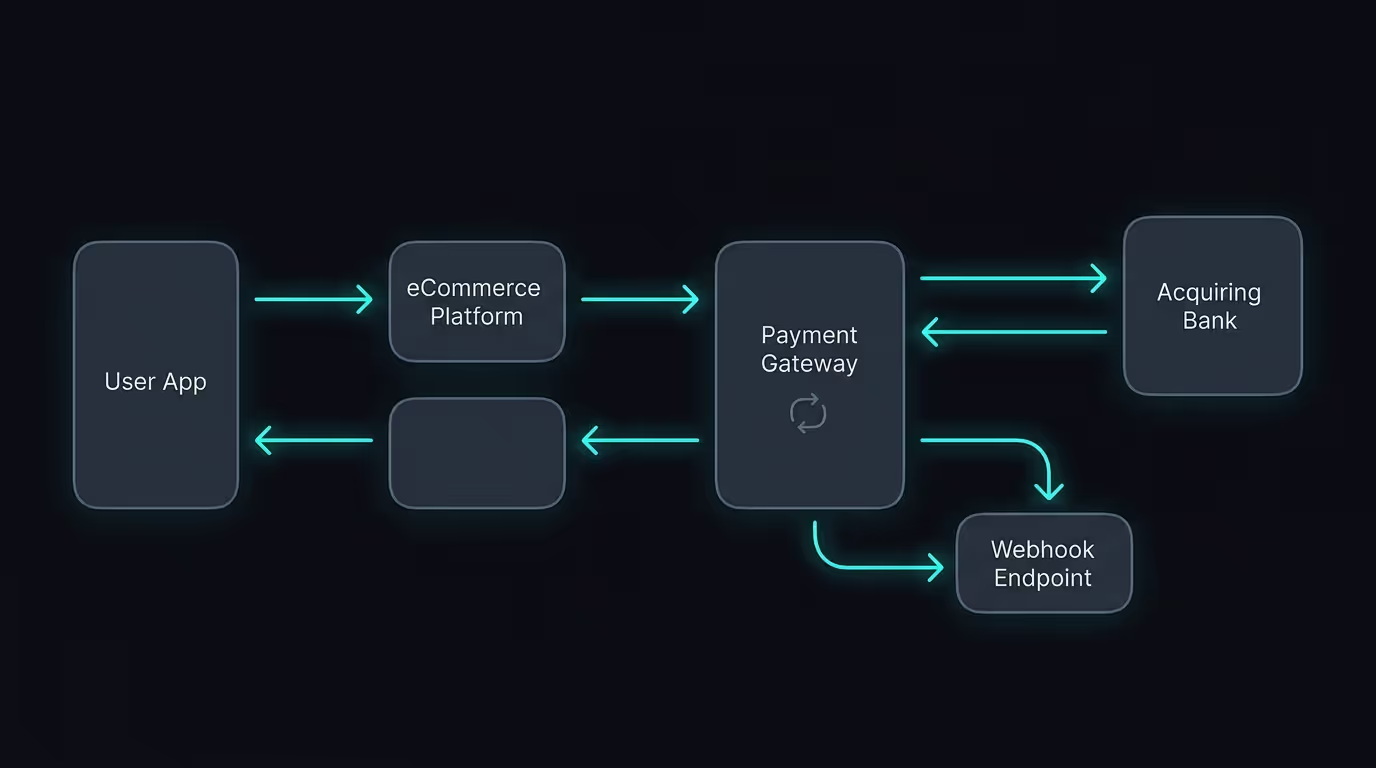
The webhook handler is the most important file in a Stripe setup. Subscription creation, failed payments, paid invoices and subscription cancellations all flow through it. If it processes events twice, customers get double-provisioned. If it drops events, subscriptions end up in stale states nobody notices until a customer calls.
A Stripe webhook handler needs three things to be production-grade.
Signature verification on the raw request body. Not the parsed JSON: the raw bytes, exactly as Stripe signed them. In Next.js App Router that means calling req.text() before passing the body to stripe.webhooks.constructEvent. If your framework parses the body upstream, the signature check fails and every webhook returns 400.
Idempotency by event ID. Stripe retries deliveries when your endpoint returns non-2xx or times out. If your handler is not idempotent, retries process the same event twice. An unidempotent handler can duplicate every retried event. The fix is a webhook_events table: check whether the event ID already exists before doing any work, return 200 if it does.
A dead-letter queue for failed processing. Some events will fail despite a 200 response: a downstream service is unreachable, a race condition in your state machine, a Postgres constraint violation mid-transaction. Log those event IDs for manual replay. Without this, you discover missed events when customers call to say they are still on the free tier after paying.
The Stripe integration reference covers all three patterns. Most SaaS billing implementations I have reviewed in production cover one of them.
Proration in Stripe Subscription Billing: What Actually Happens
When a user upgrades mid-billing-cycle, Stripe prorates by default. That sentence is accurate. The behavior depends entirely on how you configure proration_behavior on the subscription update, and the options diverge in ways that surprise founders.
create_prorations generates a proration invoice item immediately. The user gets a credit for unused time and is charged for the upgrade in the same billing event. always_invoice creates and immediately attempts to collect the proration. none skips the credit entirely and charges the full new amount at the next renewal.
For monthly plans, create_prorations with billing_cycle_anchor unchanged is usually right: the credit and the new charge both land on the next invoice, no mid-cycle surprise. For annual plans, none is often correct because a user on a 12-month contract does not expect a charge the day they change their plan tier.
Know which behavior your pricing page implies before you touch configuration. The support ticket you do not want: "I upgraded my plan and was charged again immediately."
The Annual Plan Promo Code Trap
Here is how that went on Callidus.
Callidus has a price ID allowlist for annual plans. Why: a customer used a 100%-off promo code on the annual plan in test mode and I almost let that ship. Now any annual price IDs are explicitly whitelisted against promo code application.
The dashboard fix is a Promotion Code restriction. You can scope promo codes to specific products or price IDs. But test mode and live mode maintain separate promo code configurations, and it is easy to verify the restriction in one environment without replicating it in the other. The allowlist in application code is the belt-and-braces layer that does not depend on dashboard configuration being identical across environments.
Trial Logic and the Credit Card Question
Two Stripe trial patterns: trial_period_days on the subscription, and a free-tier price that converts to a paid price when the trial ends.
Trial period days is simpler. Stripe creates the subscription in trialing status, then attempts the first charge at the end of the trial. If you want credit-card-optional trials, you need a free price or a setup intent flow to collect payment details without an immediate charge.
Have you landed on a product you wanted to try and walked away because it asked for a card upfront? The opt-in trial reduces that sign-up friction but complicates conversion: users who never entered a card are harder to recover after trial expiry. Opt-out trials (card required at sign-up) convert better for B2B SaaS where users are making a deliberate purchasing decision. For consumer SaaS, requiring a card at sign-up reduces trial starts enough that the math often inverts.
Neither is universally correct. That decision belongs to your conversion data, not your Stripe configuration.
Customer Portal for Self-Serve Billing
Stripe's Customer Portal handles plan changes, payment method updates, cancellations, and invoice history. Configure it in the Stripe dashboard, create a portal session server-side using the customer's Stripe ID, and redirect the user. The implementation is three lines. The configuration is where attention is required.
For the Supabase and Stripe stack, the common pattern is a stripe_customer_id column on your users or tenants table, looked up when creating the portal session. Gate the portal link behind a billing-role check so only the account owner can cancel the subscription.
The configuration trap: the portal uses your live mode settings. Test mode configuration is separate, and if you configure the portal in test mode and forget to replicate in live, production users will see different options than what you tested. Always verify in live which plan changes are allowed, whether cancellation is immediate or end-of-period, and whether users can pause.
Dunning: Recovering Failed Subscription Renewals
Failed renewals are not an edge case. At meaningful subscription volume, a few percent of renewal attempts fail every month because of expired cards, bank declines or temporary holds. Stripe's Smart Retries will attempt payment again at optimal intervals, but your application needs to handle the state transitions and drive the dunning sequence.
Saturday at 11pm: Stripe fires customer.subscription.updated with status past_due. Your webhook handler marks the subscription, and from that point the application should show a payment-update banner on every authenticated page. The dunning email sequence starts at day 0, continues at day 3, and sends a final notice before automatic cancellation.
B2B products with enterprise customers typically extend the grace period to 14 days or more because payment teams at larger companies sometimes need time to process a new corporate card. Configure the cancellation window in your Stripe billing settings to match what your customer agreement implies.
One event most handlers miss: customer.subscription.deleted fires for hard-deleted subscriptions, which is separate from the status moving to canceled via customer.subscription.updated. Handle both events and route them to the same mark-subscription-inactive branch. If you only handle status transitions, the immediate-deletion case goes unprocessed until a customer calls to say they cancelled and still have access.
Annual Invoicing for Enterprise Contracts
Annual contracts often need invoices sent to finance teams, not automatic card charges. The pattern: create the subscription with collection_method set to send_invoice and days_until_due set to 30. Stripe creates the invoice; you trigger the send. The customer's finance team gets an email with a pay-now link.
The webhook handling gets more complex here. You need to process invoice.payment_action_required when additional authentication is needed, invoice.overdue when the due date passes, and invoice.paid when payment clears. These are all separate from the automatic-collection event flow. Missing one of these means a customer's annual invoice sits unpaid in a spam folder for three weeks while your system assumes it has been collected.
BookBed sidesteps this entirely: all plans use monthly billing with an annual prepay discount applied as a coupon rather than a separate price ID. One billing model, one webhook handler, no finance-team invoicing complexity. Whether that trade-off fits your product depends on whether your enterprise customers' finance teams actually need formal invoices. Many do not, and the ones that do will tell you clearly.
The stripe subscription billing for SaaS setup that holds under production load is disciplined, not complicated. Signature verification, idempotency by event ID, a dead-letter queue, correct proration behavior per plan type, and a dunning sequence that catches failed payments before they become churned customers.
Pick the one component your current implementation is missing and add it this week. Probably the idempotency check.
Part of the SaaS Billing and Payments: Stripe, Subscriptions, and Pricing guide.