
Most websites don't lose visitors because of how they look. They lose them on the basics: slow hosting, a poor mobile layout and an unclear structure for search engines. Whether you're a business owner commissioning a site from an agency or a developer setting up a first project, the first step is the same. Open PageSpeed Insights, enter your own or a competitor's address and look at the mobile result before you make any design decision.
How do you build a website that brings in enquiries?
A website that brings in enquiries starts with one sentence: exactly which action a visitor should take, for example book a call, buy a product or send an enquiry. Everything else in design and content serves that action.

Start from one action
Write that sentence down before you buy a domain or write code. If you have five goals, you have no goal. A page that asks the visitor to read the blog, subscribe, call and buy all at once usually gets none of them. This is a recommendation from project experience, not a measured fact, so test it on your own case: after launch, track a single conversion and watch whether it moves.
Look at three competitors before you design
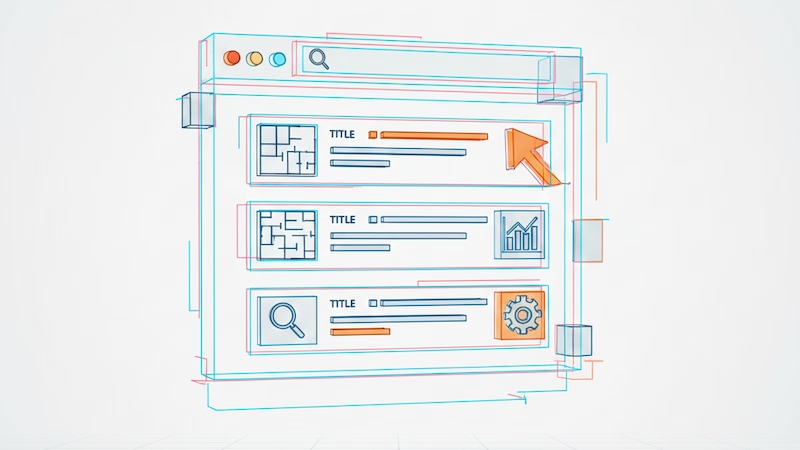
Spend 30 minutes on three competitors in your niche. Note how they build navigation, what their main call to action is, which of their pages Google shows for the queries you also target, and how fast they load on a phone. You're not copying them. You're looking for gaps: a question none of them answers clearly, or a price everyone hides.
Google Autocomplete suggestions for the query "kako napraviti web stranicu" (how to make a website; Google, hl=bs, September 2026) show people finishing that query with the words "besplatno" (free), "za firmu" (for a company) and "za online prodaju" (for online sales). That hints at intent: some users want a tool, some want a contractor, and your page should say straight away which group it speaks to.
Write content that answers real questions
Before you write the homepage copy, list the five questions customers ask before their first purchase or first call. They are usually price, timeline, how the work runs, what they get, and what happens if something goes wrong. Each question gets a short, concrete answer on the page where the visitor expects it. A page that answers questions relies less on guesses about what people want, and search engines have more content that matches real queries. Keep contact details and the main call to action visible on every page, not only in the footer.
Also treat the phone as the main device. Check the site on a real phone with a real mobile connection, not only in a shrunken desktop window. Buttons need to be big enough for a finger, forms short and text readable without zooming. A form with eight fields turns away more people on a phone than a form with three.
Which hosting should you choose for a website?
For most business sites the choice is between shared hosting, a VPS and a cloud platform; the decision depends on how much traffic you expect, who maintains the server and whether you need dynamic functionality. Choosing on price alone is rarely a good idea.

| Type | Fits | Main trade-off |
|---|---|---|
| Shared hosting | A blog or brochure site with little traffic | Resources are shared with other sites, performance varies |
| VPS | A small business with real traffic and someone to maintain the server | Security updates and backups are your responsibility |
| Cloud platform (Vercel, Netlify, Railway) | Modern web apps and static or hybrid sites | Cost grows with usage, limits depend on the plan |
| Dedicated server | Applications with large, steady traffic | The most expensive and needs administration |
I deliberately leave out concrete prices because they change by provider and plan; check them on the provider's page before you decide. One condition is easy to miss. Vercel's documentation states that the free Hobby plan is restricted to non-commercial, personal use (checked 30 September 2026), so a business site that earns money should be on a paid plan or another platform.
There is also the question of platform. WordPress, Webflow and hand-written code (for example Next.js or Astro) solve different problems. WordPress fits when a team edits large amounts of content on its own, and hand-written code fits when the site has business logic such as bookings, memberships or orders. The trade-offs are plugin maintenance on one side and a higher upfront cost on the other; the WordPress vs custom website comparison goes through them item by item.
HTTPS shouldn't be a cost. Let's Encrypt is a nonprofit certificate authority that issues certificates for free, and most hosting providers include them. If someone charges you for a standard SSL certificate, ask why.
If you're also building an application with user accounts, the backend decision is bigger than the hosting decision. The Supabase vs Firebase comparison covers that choice.
How do you speed up a website and what speed should you aim for?
Google measures experience through three metrics: largest content (LCP) within 2.5 seconds, interaction (INP) at 200 milliseconds or less, and visual stability (CLS) at 0.1 or less, measured at the 75th percentile of page loads.
web.dev's Core Web Vitals guide gives those thresholds (checked 30 September 2026). A threshold at the 75th percentile means three out of four visits must be fast enough, not the average and not the best case.
How hard is that? According to the performance chapter of the HTTP Archive Web Almanac 2025, 48% of mobile and 56% of desktop sites had good Core Web Vitals. In other words, fewer than half of mobile sites in that analysis pass all three metrics. The interpretation is mine: if your site passes, you're already ahead of most, and if it doesn't, you're not alone.
Simplicity before effects

Every element on a page needs a reason. If you can't explain why a section exists, remove it. Navigation with five to seven items and any page reachable in two clicks are my recommendation for smaller sites, not a rule set by any platform. Fewer elements usually means less JavaScript, which helps INP directly.
Practical steps for load speed

Pages usually slow down for the same few reasons, so the order is simple:
- Measure the mobile result in PageSpeed Insights and write down LCP, INP and CLS.
- Compress images and use AVIF or WebP, and load images below the first screen lazily.
- Set image and embed dimensions so the layout doesn't shift while loading (CLS).
- Remove third-party scripts you don't use, because each one adds work for the main thread.
- Serve static files through a CDN and enable caching.
- Measure again and compare with your first note.
When you use lab measurement tools, keep in mind that the Core Web Vitals used for ranking come from real-user data, not from a single test. A lab result tells you where to look for a problem, not whether you've passed.
What SEO basics are worth the effort?
What pays off is a descriptive page title, one clear H1 that matches search intent, useful internal links, a sound technical foundation (HTTPS, sitemap, indexing) and tracking results in Search Console, not counting characters.

A common recommendation is a title of 50 to 60 characters and a description of 150 to 160. Google doesn't prescribe that. Its documentation on title links says there is no recommended length, that a title is truncated "as needed, typically to fit the device width", and that text should be descriptive and concise. For the meta description, Google states that there's no limit on length and that snippets are mainly built from the page content, with the meta description used only when it describes the page better. In practice: put the main phrase at the start of the title, write for a person and don't worry about an exact character count. Internal links with descriptive anchor text and short readable URLs are still good practice, but treat them as hygiene, not as a secret ranking factor.
Technical SEO

Technical problems quietly damage visibility. Open Google Search Console and look at indexing errors, mobile usability problems and pages Google hasn't indexed. Submit sitemap.xml and check that robots.txt doesn't block important pages. Use structured data only where it matches the real content of the page. If you need someone for this kind of technical work, see what a full-stack developer does.
Monitoring and ongoing improvement
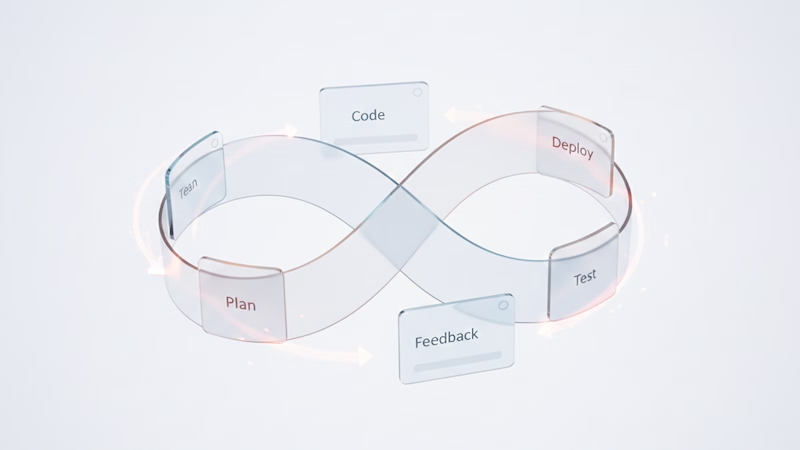
Before launch, set up Google Analytics 4 for traffic and conversions, Google Search Console for organic results, PageSpeed Insights for regular checks and a free uptime monitoring service. Once a month, look at which pages gain or lose organic traffic, the bounce rate by entry page and the Core Web Vitals trend. Every three months, review internal linking, update your best pages and test the main conversion flow from start to finish.
A website isn't a project with an end date. Outdated content and broken links pile up quietly, so a one-hour monthly check costs less than a big repair a year later.
For your next step, take your site, measure mobile LCP, INP and CLS and write down the three biggest problems. If you'd like someone to look at the results and say what's worth fixing first, send me a message with the page address.
Part of the AI-Augmented Development: Building Software Faster Without Cutting Corners guide.