
Your SaaS website has one job: to tell a visitor who arrived from search or an ad, within a few seconds, what the product does, who it is for and what to do next. If you are a founder or product owner in Bosnia and Herzegovina or the region, your first step is to open your own homepage on a phone and try to answer those three questions before you scroll. If you cannot, the problem is not the colour of the button.
This guide covers what goes on the homepage, how to build a pricing page, how to measure speed and conversion, and what a realistic build plan looks like. If you are deciding who will build it, see the page for SaaS startups and the agency vs freelancer comparison. The wider frame, from onboarding to retention, is in the SaaS UX and growth guide, and indicative costs of building an ordinary website are covered in website build cost.
What must be on the homepage of a SaaS product?
The homepage must say in the first screen what the product does, who it is for and what to do next, with one main call to action and credible proof.
A SaaS product is intangible: a visitor cannot touch it before signing up. The page has to bridge that gap with a clear message, proof, a demonstration and transparent pricing.
Why does the first screen matter most?
In 2018 Nielsen Norman Group measured with eye tracking that users spend about 57% of page-viewing time above the fold and 74% in the first two screenfuls (NN/g, Scrolling and Attention, 2018). The same research shows attention dropping sharply after the fold. My conclusion, not a finding of the study: anything that decides a signup should sit high on the page.
How do you write the hero section?
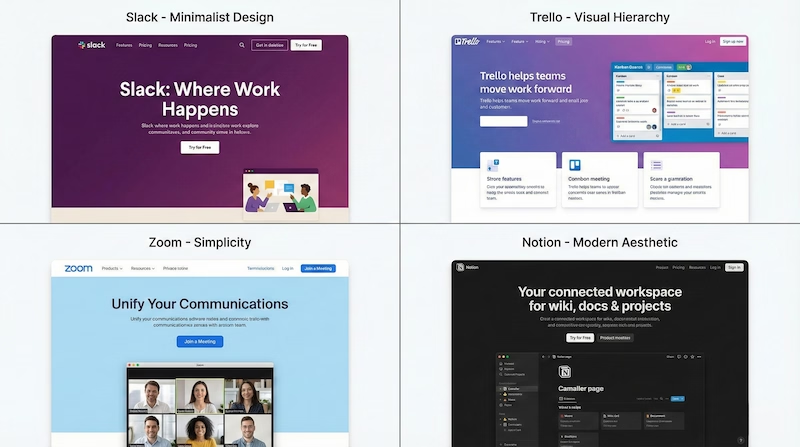
The hero section should contain:
- a headline that names the benefit for a specific user, not the product name or category
- a subheadline explaining how it works
- one primary call to action with high contrast
- a secondary call for the undecided, for example a demo or pricing overview
- proof you can back up: a real user count, a rating with a named source or a client logo you have permission to use
An example headline structure: "[Result] for [who], without [pain point]". Do not invent the numbers in such an example; if you have no measurable result, describe it in words.

How should you organise navigation?
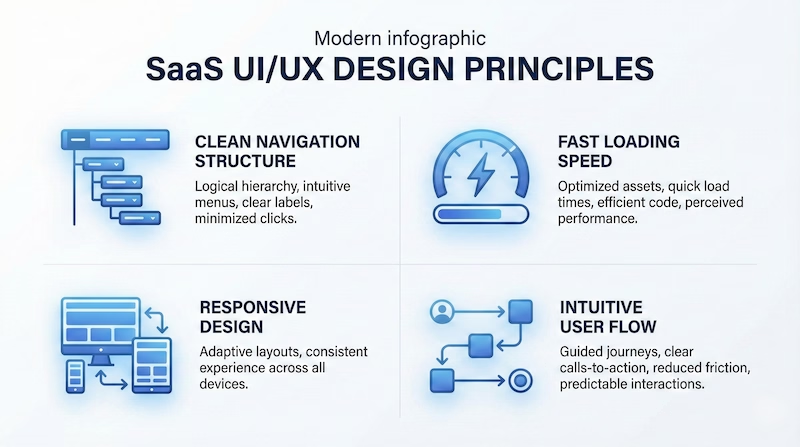
Navigation should stay short and predictable: product or features, pricing, resources, about and one visible call to action. Keep it fixed while scrolling if the page has long sections. There is no researched "magic" number of items, so test with real users: if they cannot find pricing within a few seconds, the navigation is overloaded.

How do you build trust before payment?
A visitor gives payment details only once they believe a real company stands behind the product. Proof you can show without exaggerating: testimonials from clients who gave permission, short case studies with real results, visible contact details, a clear cancellation and refund policy and a short statement about where data is stored. Use deadlines or countdowns only if they are true; false urgency destroys trust faster than it builds it. Place proof next to the spots where visitors hesitate, which are most often pricing and signup.
How do you learn from competitors without copying?
Open five sites of products that solve a similar problem and note for each: what the headline promises, who the target user is, where the proof is and how many clicks it takes to reach pricing. You are after the pattern, not the look. That shows you what is normal in your category and where you can differ clearly.
How do you present features?
Do not list features, show the outcome. Group them into a few logical blocks, with a screenshot or a short animation of the real product. For each feature write what the user gets, not what the feature is called.
Regional products face one more decision: language. For Pizzeria Bestek (React + Supabase, single location) the site was built to speak Croatian by default, with English, German and Italian for tourists, which the restaurant's audience dictated. Your audience will dictate your language choice in the same way.
How do you design a pricing page and landing pages that convert?
A pricing page needs a few clearly named plans, visible differences between them, answers to common objections and one consistent call to action; test every change separately.

What goes on a pricing page?
| Element | Why it is there |
|---|---|
| A few plans with clear names | The visitor sees faster which plan is for them |
| A highlighted recommended plan | Reduces indecision, but only if the recommendation is honest |
| A feature comparison table | Removes the question of what is included in which plan |
| Monthly/annual toggle | Shows the real saving, if an annual plan exists |
| A short FAQ on billing and cancellation | Answers objections before they become a reason to leave |
Adapt the number of plans to the product. Three plans are common, but that is a convention, not a proven rule. If your product has a single price, a single price is the right answer.
How do you remove friction from signup and checkout?
Every form field is a reason for someone to give up, so ask only for what the first step needs. Offer sign-in with Google or Microsoft if your audience uses them, show progress in multi-step forms and say clearly what happens with the trial. At checkout, show payment methods and cancellation terms in a visible place.
When should a landing page differ from the homepage?
Different traffic sources need different pages. A page for paid traffic should have one call to action, a message matched to the ad and minimal navigation. A page for organic traffic can educate and offer several levels of engagement, including a newsletter signup and links to related articles.

How do you test changes?
Test one variable at a time, starting with the headline, then the call-to-action text, then the position of proof, then the pricing display and the number of form fields. The order is my recommendation, not a measured fact. Test only when you have enough visitors for the difference to be statistically significant; on a low-traffic site, conversations with users beat A/B tests. Write down every test and its result.

How do you measure and speed up a SaaS website?
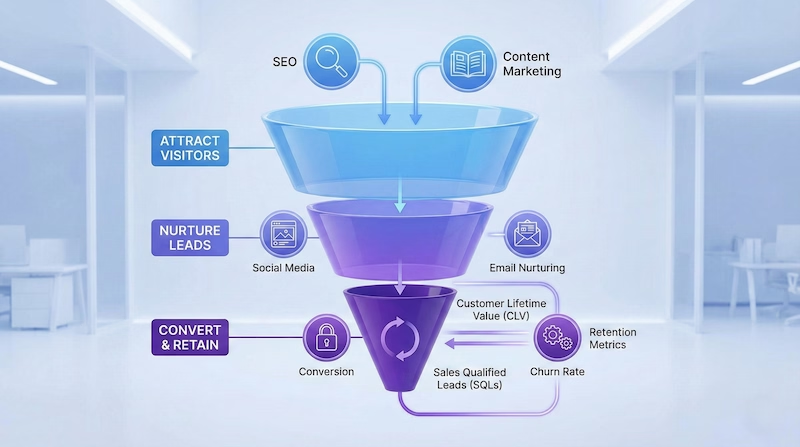
Measure the path from visitor to trial to payment, and track speed through Core Web Vitals: LCP within 2.5 seconds, INP within 200 milliseconds and CLS within 0.1.
Which indicators should you track?
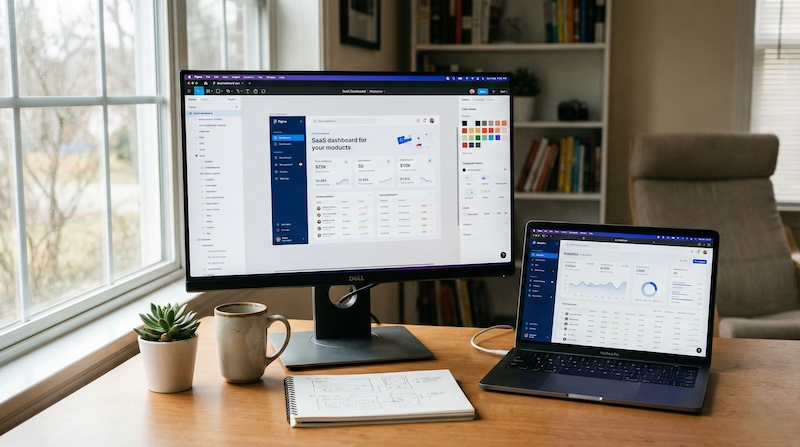
- Traffic: visit sources and exits per page
- Conversion: visitor to trial, trial to paying user, demo requests
- Engagement: visits to the pricing page and feature pages
Tools to start with: Google Analytics 4 for traffic, Google Search Console for SEO, Hotjar or FullStory for session recordings and heatmaps and Mixpanel if you measure behaviour inside the product. Read numbers in context. Many pricing-page visits with few conversions point to a problem in the price or how it is explained, and a higher bounce rate on mobile than on desktop points to a responsiveness problem. Those are hypotheses you check, not conclusions.
How fast are typical websites?
The HTTP Archive Web Almanac for 2025 reports that 48% of mobile and 56% of desktop sites had good Core Web Vitals, and on mobile 62% of sites had a good LCP, 77% a good INP and 81% a good CLS (HTTP Archive, Web Almanac 2025: Performance). The thresholds are defined by web.dev: LCP within 2.5 seconds, INP within 200 milliseconds and CLS within 0.1 at the 75th percentile of page loads.
Google's Search documentation says Core Web Vitals are used by its ranking systems and recommends good results, but warns that good scores do not guarantee a top position (Google Search Central, Page experience). Speed is therefore a condition of a good experience, not a shortcut to ranking.
What else affects usability on mobile?
For touch targets, WCAG 2.2 at level AA requires at least 24 by 24 CSS pixels, with listed exceptions (W3C, WCAG 2.2, Target Size Minimum). Add readable type, simplified navigation and images in modern formats (AVIF or WebP) with lazy loading. Test on a real mid-range Android phone, not only in a simulator.
What does a build plan for a SaaS website look like?
A build goes through four phases: research and planning, design and prototype, development and launch, and ongoing optimisation, and for my website projects the timeline is typically two to six weeks.
- Research and planning: competitor analysis, target users, user journey map, information architecture and conversion goals.
- Design and prototype: wireframes of key pages, mockups, feedback and testing with a few real users.
- Development and launch: responsive templates, analytics, preparation for A/B testing, performance optimisation and quality checks.
- Optimisation: tracking key metrics, single-variable tests, user feedback and extending what works.
My engagements are project-based, not hourly, and the price is given on request. If you have a site that does not convert, the next step is simple: measure Core Web Vitals for the homepage and the pricing page in PageSpeed Insights, then send me the result and one question at info@duskolicanin.com.
Part of the SaaS UX and Growth: Onboarding, Activation, and Conversion guide.